
 10:32 |


New Windows-powered 2-in-1s and laptops aren't everything that Acer has announced at its event today. Also present was the new Acer Chromebook 14 for Work, a device which the Taiwanese company claims is the fastest Chromebook on the market.
That's seriously doubtful given the specs of Google's newest Chromebook Pixel, but Acer seems to believe in what it says. The odd thing is that the company hasn't actually revealed the detailed spec list for the new Chromebook, so we can't really assess these claims.
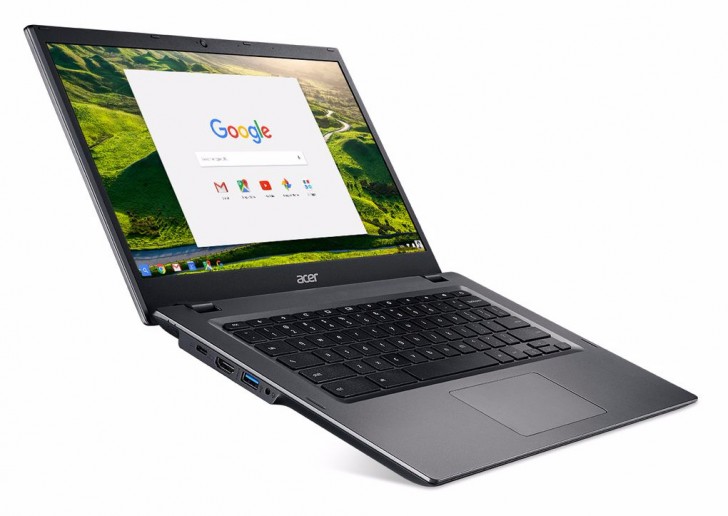
All Acer's willing to disclose about the Chromebook 14 for Work is that it features 12-hour battery life, an Intel Core i processor, and that it has a spill-resistant keyboard and overall rugged design which complies with military specs and lets you drop the laptop from 45cm without worry. It can also withstand up to 60kg of weight being placed on top of it.
The Chromebook 14 for Work is the first laptop to use Corning's new Vibrant Gorilla Glass, which can be customized with various images. This is also Acer's first model to be compliant with Google's Chrome for Work program. The laptop is probably only going to be sold through enterprise channels. Pricing and availability information hasn't been announced yet.
Source : www.gsmarena.com/
 Libellés :

At its grand event today, Acer has announced the Aspire S 13, a new laptop that wants to compete with the 13-inch Apple MacBook Air, but also Dell's XPS 13. And it wants to do all that while being significantly cheaper than its competitors.
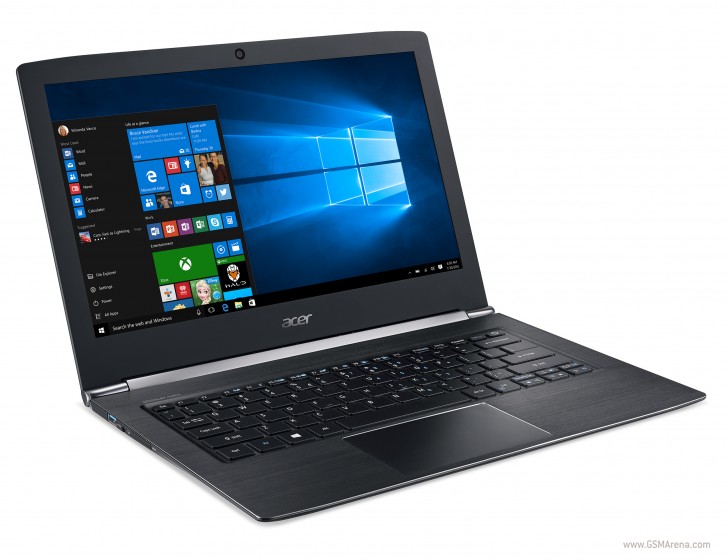
The Aspire S 13 will have a 13.3-inch Full HD IPS display, which can optionally be touch-enabled. You can configure it with up to 8GB of RAM as well as up to a 512GB SSD, and an optional battery will make it allegedly last a whopping 13 hours on a charge (the default power pack only nets you 9 hours of usage). Powering the thing are Intel's 6th generation Core processors (you can choose between i3, i5, and i7), and it will have a USB Type-C port, two 'normal' USB 3.0 ports, HDMI, and an SD card slot.
It will be offered in Obsidian Black or Pearl White, when it goes on sale in May starting at $699. The Aspire S 13 weighs just 1.4kg and it's 14.4mm thin.
Source : www.gsmarena.com/
Acer is holding a pretty big event today, and one of the things it's announced is the Switch Alpha 12, a "detachable PC" as the Taiwanese company calls it. It's a 2-in-1 device that can be used either as a tablet or as a laptop, and it runs Windows 10 as you'd expect.
The Switch Alpha 12 has a 12-inch 2,160x1,440 touchscreen, and it's powered by 6th generation Intel Core processors (a choice of i3, i5, or i7). You can configure it with 4GB of RAM and 128GB of storage, as well as Intel's RealSense 3D camera.

The device is fanless despite using proper i-series chips from Intel, and that's because it features a newly designed liquid cooling system to keep its innards at the required temperature.

It has a built-in kickstand (as can be seen in the promotional images), and the keyboard will be bundled with it, so no need to pay extra for that. Optionally you'll be able to pick up the Acer Active Pen stylus with 256 levels of pressure supported. The whole Switch Alpha 12 (including keyboard) weighs only 1.25kg.
The Acer Switch Alpha 12 will start at $599, and should become available in June.
Source : www.gsmarena.com/
Acer held a press event today in New York and announced a couple of laptops and a smartphone - the Acer Liquid Zest Plus.
Acer shared some of the key specs of the Liquid Zest Plus on stage - a 5.5" HD display, a 13MP camera with something they call tri-focus, and a massive 5,000 mAh battery capable of quick charging. Tri-focus means the snapper relies on all types of AF used today - laser, contrast and phase detection.
We managed to find some more specs of the device - it runs on MediaTek's MT6735 chip with a quad-core 1.3GHz Cortex-A53, Mali-T720 GPU and 2GB of RAM. There is 16GB storage, a wide-angle 5MP selfie snapper, and Android 6.0 Marshmallow OS.
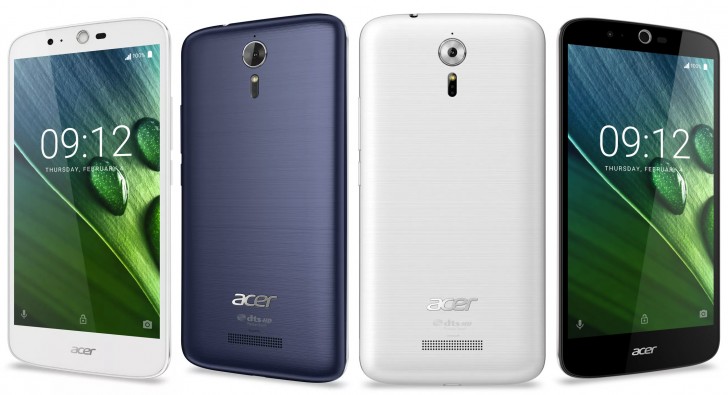
The Liquid Zest Plus will be available in the USA soon for $250, which is a nice price for such a device.
Source : www.gsmarena.com/
Android N is yet to be officially named later this year, but it was already detailed last month. It offers multi-window (split-screen) multitasking, improved Doze mode, better notification handling among others.
The Android N Developer Preview was seeded to Nexus 6, Nexus 5X, Nexus 6P, Nexus 9, Nexus Player, and Pixel C in early March. The Preview even saw its first firmware update in mid-March.
Surprisingly, Sony made the Android N Preview available to the Xperia Z3 model earlier today. If you own the D6603 or D6653 flavors of the Xperia Z3, then you can easily install and run Android N. Here is how:
- Connect your compatible Z3 device to a computer with a USB cable.
- Xperia Companion will open automatically.
- Make sure you have Xperia Companion version 1.1.24 or later. If not, download the latest version from here.
- Hold down the ALT key on your computer and click on Software repair on the home screen, then follow the guide.
- You’ll be asked to disconnect and turn off your device, then to reconnect whilst holding down the volume down key to start the software flashing.
- You can return to factory settings at any time by connecting back to Xperia Companion and following the Software repair.
The Android N Developer Preview lacks the Xperia launcher, so you should have that in mind before installing. Plus - it's recommended to install it only if you are a developer and know what you are doing. Bugs and issues may and will occur, so it's not recommended to use an Xperia Z3 running on Android N as your primary phone.
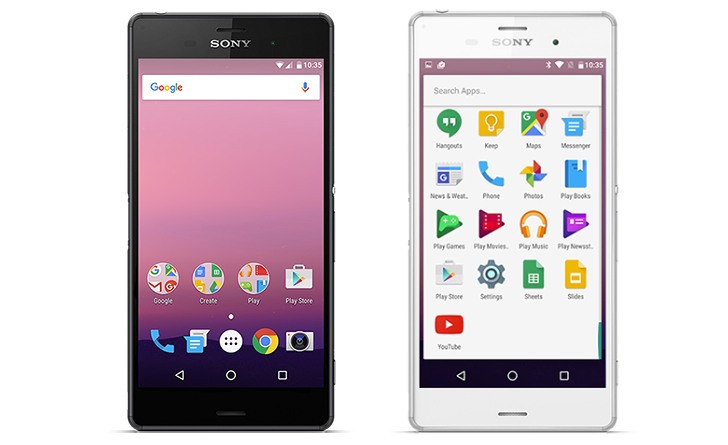
That being said, feel free to share your experience in our comments section.
Source : www.gsmarena.com/
JerryRigEverything has come up with somewhat a standardized durability test for smartphones and he does it quite often. He first tests the scratch endurance of the shell, then the flame resistance of the screen, and finally - the bend test.
Xiaomi Mi 5 uses two Gorilla Glass 4 pieces on its front and rear side and their scratch resistance is on par with the rest if the flagship crop. Its camera is protected by a sapphire piece, which is resistant to scratches, too.
The aluminum is rather easy to scratch - that's for sure. But as it turns out the Mi 5 lacks a secondary metal chassis to hold the insides and uses a cheap aluminum for the one and only frame. The consequences? Watch the video below.
As it turns out the Xiaomi Mi 5 is one of the easiest-to-bent smartphones out there due to the single and lower-grade aluminum frame that's supposed to hold everything in place.
We are not great fans of bend tests, because every phone is bound to break when plenty of force is applied, but this test sheds some light on why the Mi 5 is cheaper and lighter than other competitors.
Source : www.gsmarena.com/
And you can start multiple instances of Windows PowerShell (or Windows PowerShell ISE) on a single computer.
How to Start Windows PowerShell
On Windows XP and Windows Server 2003, to start Windows PowerShell from the Start menu, click Start, click Programs, click Accessories, click the Windows PowerShell folder, and then click the Windows PowerShell item.
How to Start Windows PowerShell ISE
In Windows Vista, Windows Server 2008, and later versions of Windows, to start Windows PowerShell ISE, from the Start menu, click Start, click All Programs, click Accessories, click the Windows PowerShell folder, and then click the Windows PowerShell ISE item.
In Windows XP and Windows Server 2003, to start Windows PowerShell from the Start menu, click Start, click Programs, click Accessories, click the Windows PowerShell folder, and then click the Windows PowerShell ISE item.
How to Start Windows PowerShell with All Modules
For more information about Windows PowerShell modules and snap-ins, see Using Modules and Snap-Ins, How to Import a Module, and about_Modules.
To start Windows PowerShell with all modules, use either of the following procedures.
- In the taskbar, right-click the Windows PowerShell
icon, and then click Import All Modules.
 |
Note: |
| In Windows Server 2008 R2, the Windows PowerShell icon is pinned to the taskbar by default. However, you must start Windows PowerShell one time to make the Import All Modules task appear. |
get-module -listAvailable | import-module
How to Start Windows PowerShell with Administrator Privileges
In the Windows taskbar, right-click the Windows PowerShell icon, and then click Run Windows PowerShell as admin.
To start Windows PowerShell (or Windows PowerShell ISE) with Administrator privileges in all supported versions of Windows, use the following procedure.
- Click Start, click Programs, click Accessories, and
click the Windows PowerShell folder.
- Right-click the Windows PowerShell item (or the Windows PowerShell
ISE item), and then click Run as
administrator.
How to Start Windows PowerShell with Other Options
To view these options, in a Command Prompt (Cmd.exe) window, or in an existing Windows PowerShell window, type:
powershell -?
powershell -executionPolicy RemoteSigned